一、申請呼叫google recaptcha api
https://www.google.com/recaptcha/intro/v3beta.html
google帳號登入後
選擇使用reCAPTCHA V2
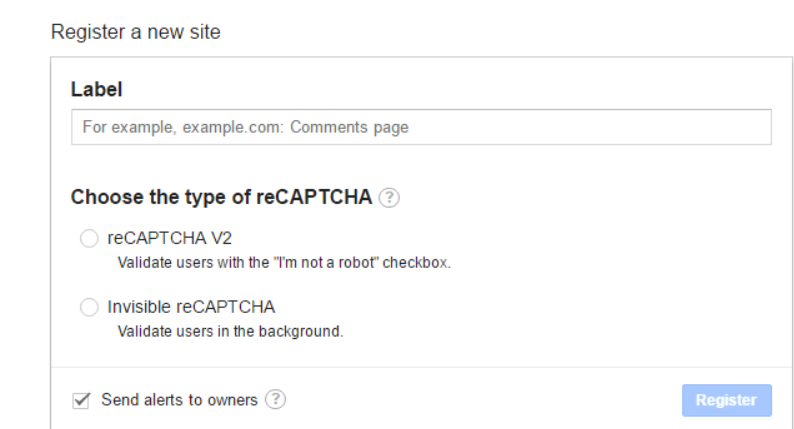
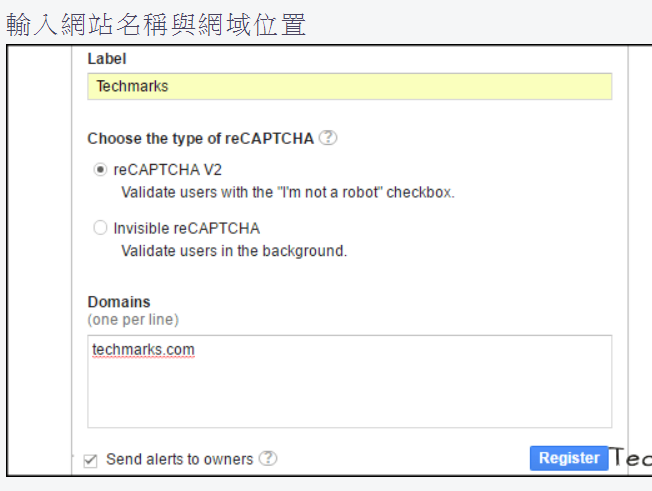
將產生的key & secrets記錄下來

二、修改程式
先切到縣市IDP程式分支,右鍵選擇Git->Branch/Tag->Merge Revision
在Revision: 按下"Select"再選擇Remote要merge的分支
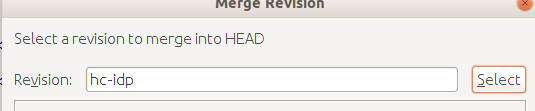
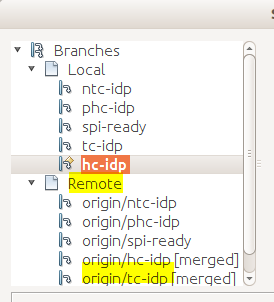
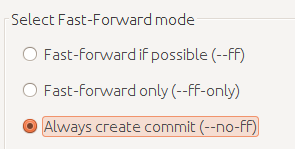
下方選擇"Always create commit這樣會產生一次commit紀錄方便理解
合併完成後,在LoginPage.java拿掉第74行註解

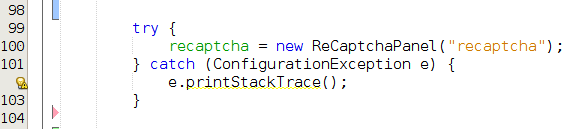
98行的註解拿掉
修改resource package下面的recaptcha.properties內容
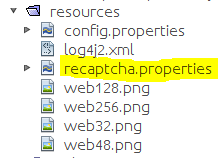
將site.key & secret.key改成在google api申請到的值
以上
三、將mongo中記錄redirect uri的欄位從字串改為可儲存字串陣列值
進入mongo的xxstore資料庫
1. create snapshot & change field type form string to array
db.cncspstore.find().snapshot().forEach(function(e){db.cncspstore.update({_id:e._id},{$push:{
redirecturis:e.redirecturi}});});
2.remove original document field
db.cncspstore.update({},{$unset:{redirecturi:""}},false,true)
3.rename snapshot field
db.cncspstore.update({},{$rename:{'redirecturis':'redirecturi'}},false,true)
備註:
手動刪掉欄位中一筆資料值...
db.cncspstore.update({"clientid" : "要對應修改的clientid值"},{$set:{"redirecturi" : ["要修改的正確uri位址"]}})
在mongo中手動加入欄位資料
db.systemstore.update({"_id":ObjectId("5ae0b3c4f0382232e0xxxxd7")},{$push:{"manager":"neaoOOXX"}})
在mongo中刪除某個欄位內的某個數值
db.systemstore.update({"_id":ObjectId("5ae0bxxxf0382232e0e65dd7")},{$pull:{"manager":"neaxxx"}})
備份mongo
mongodump --db xxstore --out /root/mongobk/xxxx
還原mongo:必須指定備份路徑到bson檔位置,加上drop參數,先把collections都刪掉才能正確還原
mongorestore -d xxxstore --drop /home/ub/Documents/xxxx/xxxxstore/
在mongo裡有個表是用來放authcode雖然有時效,但mongo不會主動清除裡面的過期紀錄,可能導致系統效能問題
這時可用手動的方式檢查並刪除
db.authcodestore.count()
>42352
裡面存了4萬多筆紀錄沒有作用
可再用下列指令刪除
db.authcodestore.remove({})
重新檢查一次紀錄變成-1了

